
Tag: ms word
-
Image Anchors
The boat anchor attached to objects (eg., shapes, pictures, etc.) appears sometimes on floating objects, such as images when you click the object. Anchors indicate the specific paragraph to which an object is associated. This is important for object positioning especially when the paragraph the object is anchored to is spread over a page break.…
-
Text Wrapping
To control how an image and text interact, in the Picture Format tab in the Arrange group, click the Wrap Text. You may also right-click an image for these options. Let’s define each of the displayed options. In Line with Text: The image is treated as text — specifically, like a large, single character. The…
-
Reducing the File Size of an Image
Pictures can dramatically increase the file size of your document. You can control the file size by making choices about the resolution, quality, or compression of an image. One easy way to balance this tradeoff is to match the picture resolution to the use of the document. For example, if you are emailing the picture,…
-
Adjust an Image’s Appearance
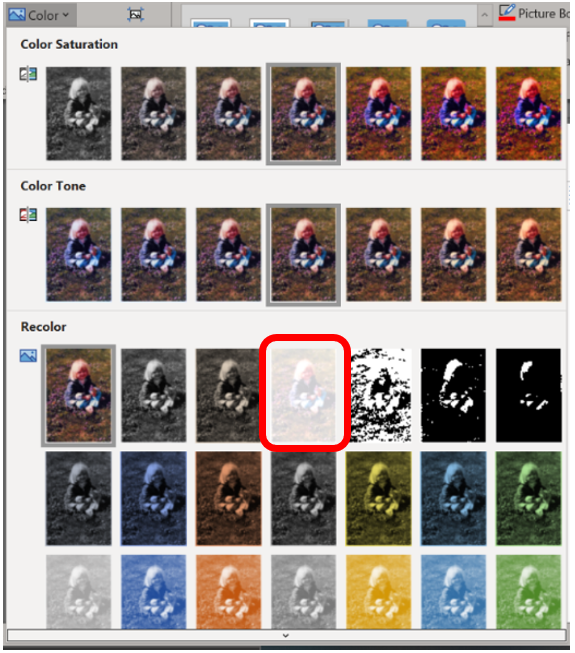
Pictures can be manipulated by using the tools found in the Adjust group on the Picture Format tab. Only a few tools are available, but the good news is that each tool’s button shows a menu full of options, previewing how the image will be affected. To make the change, simply choose an option from…
-
Rotate an Image

There are two ways to rotate an image: Fixed rotation: Use the Rotate option found in the Picture Format tab Arrange group. From the menu, you can choose to rotate the image 90 degrees to the left or right or to flip the image horizontally or vertically. Free rotation: Use the mouse to grab the…
-
Cropping an Image in Word

You’re likely already familiar with the terms “crop” and “cropping” an image. It’s when you make an image smaller by eliminating content rather than sizing the image down. Like when you have to remove your cheating-scumbag ex from all your pictures or just because there’s too much space around the subject. See examples below. To…
-
Resizing an Image in Word

As graphics programs go, Word is not among them. However, there are some basic adjustments you can perform within the program. For any major editing Illustrator, Photoshop, PowerPoint, or even MS Paint are better performers. Yeah, I said it, Paint. For this section, you will frequently use the Picture Format tab, which only appears when…
-
Table Header Row Not Repeating
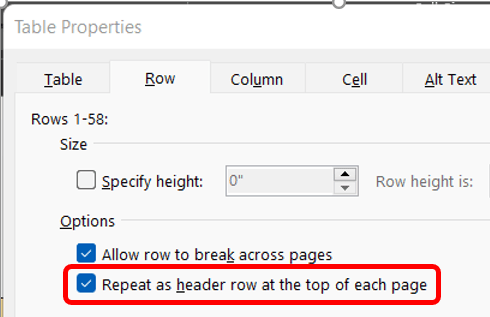
This week’s reader request for help involved a multi-page tale where the builder wanted the header row to repeat on each page. Easy enough. Click into the table then on the (table) Layout tab in the Table group click the Properties button. This prompts the Table Properties dialog box which opens on the Table tab.…
-
Commenting in Comments – the Badness
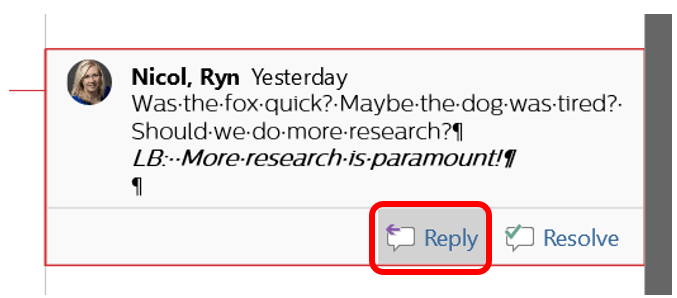
Now that you’ve learned how to isolate reviewers so that you can skip through a specified user’s changes and comments, it may seem obvious why it’s bad to leave notes in someone else’s comments. In the example below, you’ll notice Laura (LB) has responded to my comment within the same bubble. If we were to…
-
Changing View Options

As people make changes, such as deleting content, Word automatically strikes through the text and changes the color of the text. When a user changes the font options such as making something bold or italic, a balloon will appear at the right margin of the window. If markups such as these get to be too…
 Ryn Nicol