
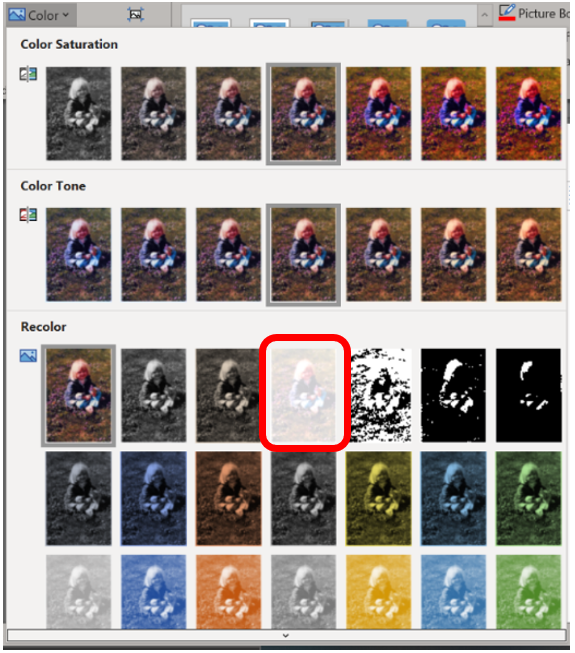
Pictures can be manipulated by using the tools found in the Adjust group on the Picture Format tab. Only a few tools are available, but the good news is that each tool’s button shows a menu full of options, previewing how the image will be affected. To make the change, simply choose an option from the appropriate button’s menu.

For example, to wash out a picture you’ve placed behind your text, choose the color Washout from the Recolor part of the Color button’s menu.
You can change or undo the appearance changes even after saving the file as long as you have not closed the document you are working in if the artistic effect is not the look you want.
 Ryn Nicol