
Now that you’ve learned how to isolate reviewers so that you can skip through a specified user’s changes and comments, it may seem obvious why it’s bad to leave notes in someone else’s comments.
In the example below, you’ll notice Laura (LB) has responded to my comment within the same bubble. If we were to isolate reviewers so that we only viewed original edits and comments by Laura, this comment would be filtered out as Word tracks this as my comment, not Laura’s comment.

Make life easier on yourself and your document managers. Create original comments even when they are responses to other comment balloons. This will help with filtering.
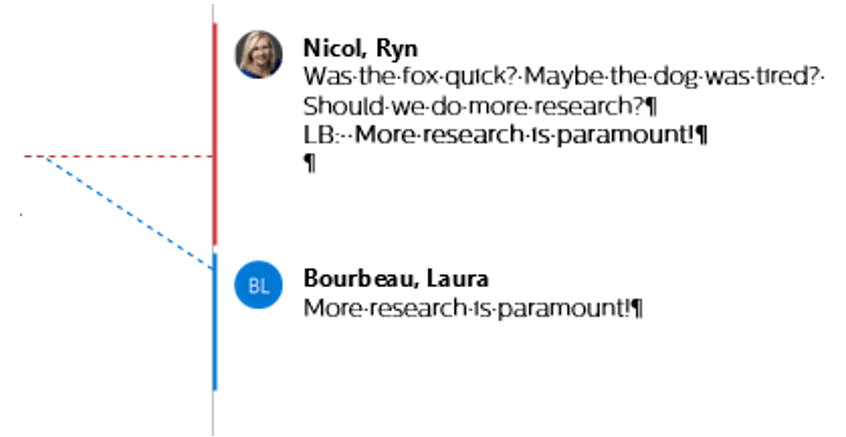
Note that if an individual clicks the Reply option that appears when you hover over a comment.
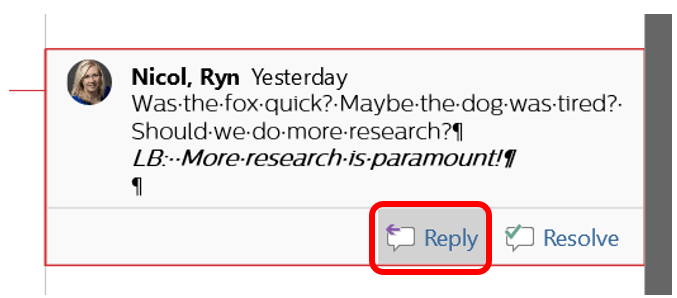
Word will create a nested comment.

This means if you filter by reviewer, Word only looks for the top level. Hence if we filtered by Laura, Word would hide the nested comment. (Yes, it’s annoying and hopefully, the programmers will fix this in the future.) Until then I recommend creating a new comment each time for large documents or those documents with a lot of changes.
 Ryn Nicol