
Tag: microsoft word
-
List Libraries and Defining a New List

You’re making a list and for whatever reason you don’t like the default appearance. I’m not talking fonts and colors rather the bullet or the numbering. If you need suggestions or want to set a specific list style, go to the Home ribbon in the Paragraph group, access either the Bullet or Numbering Library and…
-
Stop Automatic Numbering

You likely already know how easy it is to add bullets or numbers to existing lines of text. Word can automatically create lists as you type. By default, if you start a paragraph with an asterisk, the number “1,” or the letter “a” followed by a period and either a tab or space, Word recognizes…
-
Dude, Where’s My Document?

If you closed your document by accident without saving, or maybe you lost power, or the computer unexpectedly turned off because you spilled your margarita on it while “working” from the beach, you can recover unsaved documents. Go to the File tab and choose Info from the left side bar. You may need to scroll,…
-
Updating a Table of Contents
You made a table of contents (TOC), but then you altered your document and all your page numbers are off. If you added, removed, modified headings, or edited any of your table of contents entries in your document, you can quickly update the table of contents. Go to the References ribbon in the Table of…
-
Creating a Table of Contents

Are you hand typing your table of contents? Why? WHY? Are you a masochist? Or did you make one and hate the look of it? I got you. This week is all about automatic Tables of Contents in Word. Generating a Table of Contents Automatically Word can generate a table of contents (TOC) by recognizing styles…
-
Modifying the Normal Template
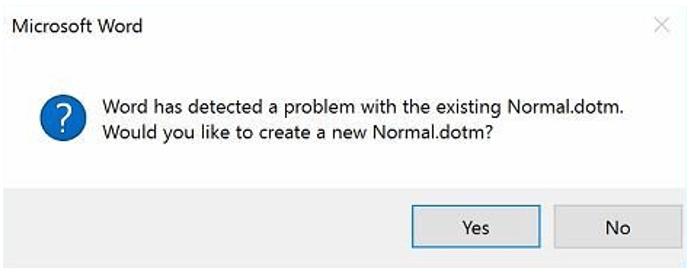
Some of the great unanswered questions of life, the universe, and everything else are: “Why is Word asking about something called Normal.dotm?” “What does it mean error to Normal.dotm? I didn’t do anything,” and “Why did Microsoft change the Normal.dot template of Word to Times New Roman 14 with extra spacing and multiple lines?” First,…
-
Now Let’s Get in Formation

This week I’ve been talking about Styles. What it is and the various types. Today we’ll be discussing how to create, modify, and delete sytles. Creating and Modifying Styles If you want formatting choices that are not available from the built-in styles (like most of humanity) you can create custom styles to suit your requirements.…
-
Style Types

Continuing our conversation about Styles, today we’ll dive into the various types of Styles. The Normal Style The Normal style is a preloaded style from the normal style set as included in the normal template. Clear as mud? By default, Word automatically applies the Normal paragraph style to all text in blank, new documents. Similarly,…
-
It’s Always About Style
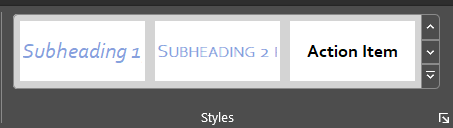
This week let’s talk about Styles. What are they, why are they important, how and when are they helpful, and where do you find them? What is a Style? A style is a rule we create in Word based on a set of formatting characteristics, such as font name, size, color, paragraph justification, and even…
-
Bad Code or How to Make Everyone’s Life Including Your Own More Difficult
Have you ever seen a document where people hit the return button repeatedly at the end of a page to move it to the next line? Or pressed the tab button over and over then the spacebar to get their text to line up with a specific item? You know, like this: This type of…
 Ryn Nicol