
Tag: formatting
-
Page Breaks in Word

Word provides many break options with the most frequently used being the Page Break. If you’ve never used a page or the other type of break options, this post will provide information on each. First, to find the break options available go to the Layout ribbon, select Breaks from the Page Setup group. A dropdown…
-
Lines vs. Borders
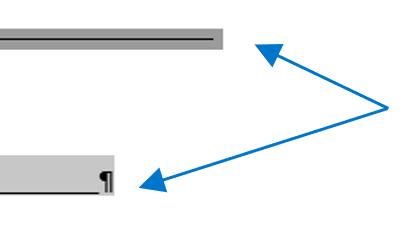
I received the following form a friend the other day. A simple enough form. The lines aren’t even vertically nor horizontally but all we need to do is add our information. The lines are fixable. Until you type in the form that is. Yes, looks… terrible. Awful. I’m sure it’s acceptable but… it could look…
-
Why does paste change my format?

You have a beautiful document filled with styles and formatted perfectly. We’ll call that doc Guinevere. Now suddenly you have to add content from another document because the customer/your boss/some random dude wants to keep the formatting from the second document, we’ll call that doc Vlad, when it’s inside the first document (the naming convention…
-
Building a Table of Figures

Once you add captions to your document, you may create a table of figures. When you build a table of figures, Word automatically searches for the preset Caption style (unless told otherwise) and lists them by sequential appearance in the document meaning the listing is based on page number not if the caption numbers are…
-
Caption This
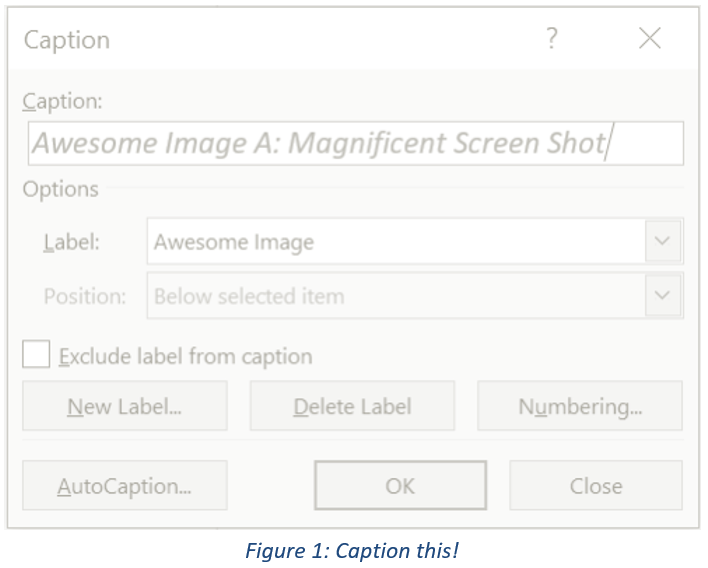
When drafting long documents with lots of illustrations, images, tables, etc., it is wise to use a table of figures (TOF). Listing pictorial information in it’s own table is important because it allows readers to focus on your graphics apart from the text. Unlike the table of contents (TOC) which is based on heading styles,…
-
Manually Advance List Numbering

You may need to change the number of an item in a numbered list. If so, use the Set Numbering Value option to manually change the list number, and Word will automatically renumber the rest of your list. Right-click the number in the list that you want to change. Click Set Numbering Value. The Set…
-
Defining a New List Style

Wondering about the difference between the Define New Multilevel List and Define New List Style commands? List styles can be named, shared, modified, and deleted, unlike multilevel lists. If you use the Define New List Style command when you make changes to the new style, every instance of that style is updated in the document…
-
Defining Multilevel Lists

If you need to edit the various levels of a list, you will use the Multilevel List option. Similar to the Bullets and Numbering libraries, multilevel list styles are provided in their own library. If those styles are not what you are looking for, you can create or modify new hierarchical levels of items in…
-
Change Level of List Item

Lists, like the Table of Contents, are based on hierarchical outline levels in a tree structure. There are two ways to change levels in a list. One way is to press the Tab key at the beginning of the line until you’ve reached the level down (toward the right) you want or Shift+Tab to move…
-
List Libraries and Defining a New List

You’re making a list and for whatever reason you don’t like the default appearance. I’m not talking fonts and colors rather the bullet or the numbering. If you need suggestions or want to set a specific list style, go to the Home ribbon in the Paragraph group, access either the Bullet or Numbering Library and…
 Ryn Nicol