
Category: Word
-
How Headers and Footers Affect Margin Settings (a lesson in printing)

First, let’s understand what full-bleed, zero-margin, edge-to-edge printing means. If you’re unfamiliar with these terms, that’s ok. It means you’ve never worked in graphics or with professional printers. It also means that it is highly likely that despite setting your margins to zero, the printer you are working with will still give you a white…
-
Formatting Headers and Footers
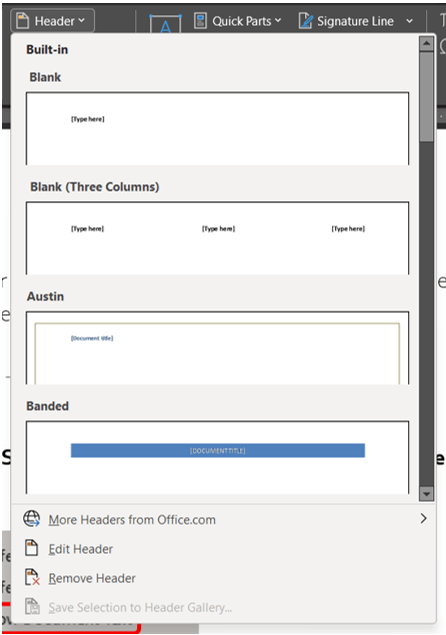
Headers and footers can be as simple as the inclusion of the document title and a page number, but you can also create headers and footers that contain graphics, multiple paragraphs, and fields. You can specify a different header or footer for odd and even pages or use a different header or footer for the…
-
Saving a Custom Theme
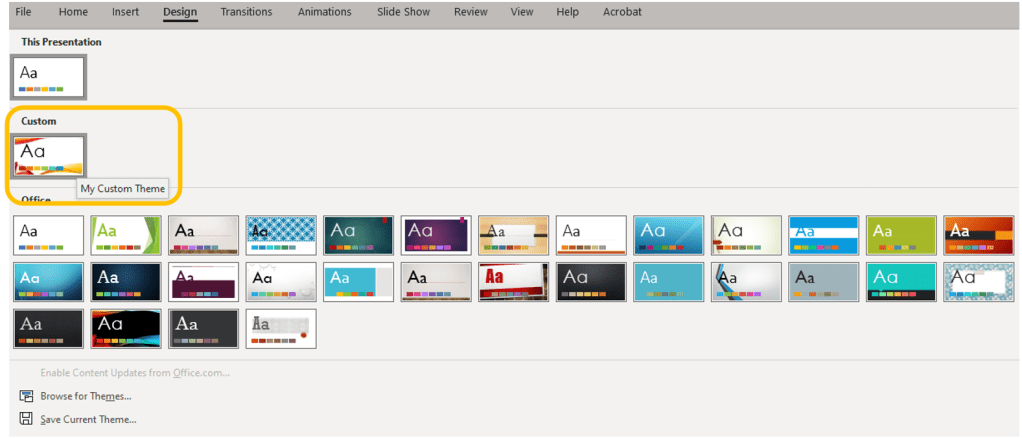
Continuing this week’s topic: Themes and Templates in PowerPoint. Today is all about how to save your customizations so you can use your chosen in other slide decks or even other programs. So you followed a link here looking for themes in Word or Excel rather than PowerPoint, all are covered here so keep reading.…
-
Why does paste change my format?

You have a beautiful document filled with styles and formatted perfectly. We’ll call that doc Guinevere. Now suddenly you have to add content from another document because the customer/your boss/some random dude wants to keep the formatting from the second document, we’ll call that doc Vlad, when it’s inside the first document (the naming convention…
-
Manually Advance List Numbering

You may need to change the number of an item in a numbered list. If so, use the Set Numbering Value option to manually change the list number, and Word will automatically renumber the rest of your list. Right-click the number in the list that you want to change. Click Set Numbering Value. The Set…
-
Defining a New List Style

Wondering about the difference between the Define New Multilevel List and Define New List Style commands? List styles can be named, shared, modified, and deleted, unlike multilevel lists. If you use the Define New List Style command when you make changes to the new style, every instance of that style is updated in the document…
-
Defining Multilevel Lists

If you need to edit the various levels of a list, you will use the Multilevel List option. Similar to the Bullets and Numbering libraries, multilevel list styles are provided in their own library. If those styles are not what you are looking for, you can create or modify new hierarchical levels of items in…
-
Updating a Table of Contents

You made a table of contents (TOC), but then you altered your document and all your page numbers are off. If you added, removed, modified headings, or edited any of your table of contents entries in your document, you can quickly update the table of contents. Go to the References ribbon in the Table of…
-
Creating a Table of Contents

Are you hand typing your table of contents? Why? WHY? Are you a masochist? Or did you make one and hate the look of it? I got you. This week is all about automatic Tables of Contents in Word. Generating a Table of Contents Automatically Word can generate a table of contents (TOC) by recognizing styles…
-
Modifying the Normal Template
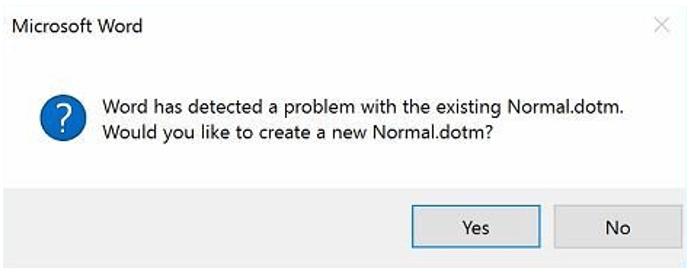
Some of the great unanswered questions of life, the universe, and everything else are: “Why is Word asking about something called Normal.dotm?” “What does it mean error to Normal.dotm? I didn’t do anything,” and “Why did Microsoft change the Normal.dot template of Word to Times New Roman 14 with extra spacing and multiple lines?” First,…
 Ryn Nicol