
Category: PowerPoint
-
Troubleshooting Layout Designs

Last week we made changes to our source slides but what if those changes aren’t appearing on previously built slides? Maybe the changes worked on our slides where the content wasn’t yet inserted so why does the computer hate us? Microsoft sucks. Nothing works! Are we done whining yet or do you need a few…
-
Assigning Specific Fonts
You likely work for a company that has preferred fonts or colors. Or maybe you’re just particular. You can set the use of these on the source slides. Note: if your company uses a custom branded font that is not standard in Microsoft these changes will not work in a template file unless the individual…
-
Creating Alternate Layouts in PowerPoint

PowerPoint contains nine basic layouts although depending on the current theme you have open, more or less may appear. To view your current layout options, which again my look different than below, go to Home ribbon and in the Slides group find the dropdown for layout which may say Layout or look like this little…
-
Renumber Slides
If you need to alter the page/slide numbering to start at a number other than one, go to the View ribbon, in the Master Views group, open Slide Master. This will open the Slide Master tab, where under the Size group, open the dropdown for Slide Size. Click Custom Slide Size. (Super intuitive so far,…
-
Designer Isn’t Working

Like many things, this can be a bit buggy. If you don’t have Office 365 or if you’re not connected to the web, then nothing will generate in Design Ideas. If you have mixed shapes on a slide, such as a photo and a line/rectangle/ink/chart/etc., Design Ideas won’t work. You can have the text and…
-
Pimp My Slide Deck Using Design Ideas

You have a plain white slide. You know it’s boring. So why are you presenting plain white slides? Oh, you have a photo on it? That’s cool. It’s just a square on the side with some bullet points? Ok, so what you’re trying to say is you struggle with design. Or maybe you think it…
-
Templates in PowerPoint
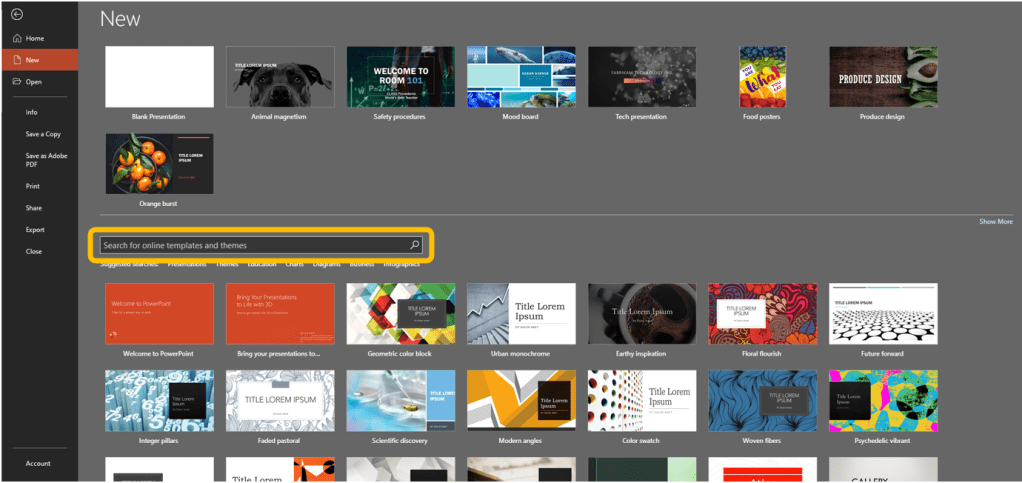
We’ve discussed Themes this week both finding preset themes and saving customized themes, but what are these Templates I keep mentioning? Templates are slide decks that include a preloaded theme and include content. Content is theme- or template-specific. Templates can include background formatting, images (pictures and icons), colors, fonts, text and image effects, and text…
-
Saving a Custom Theme
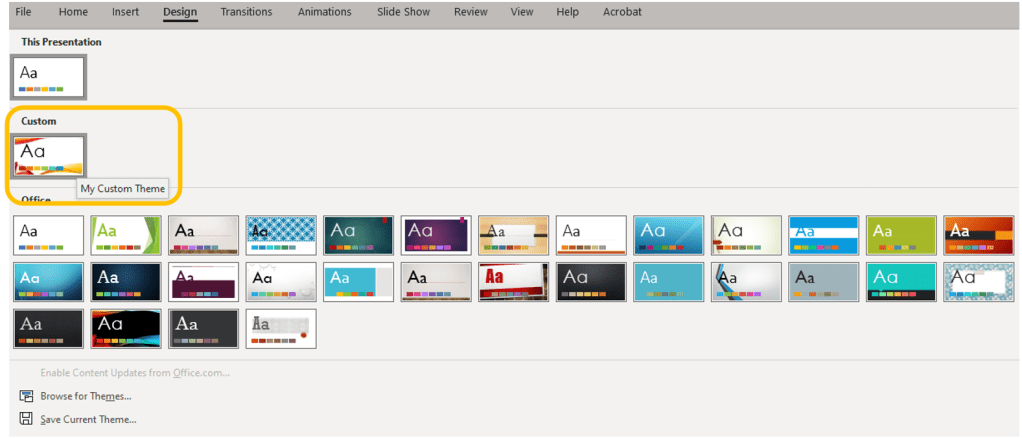
Continuing this week’s topic: Themes and Templates in PowerPoint. Today is all about how to save your customizations so you can use your chosen in other slide decks or even other programs. So you followed a link here looking for themes in Word or Excel rather than PowerPoint, all are covered here so keep reading.…
-
Preset Themes in PowerPoint
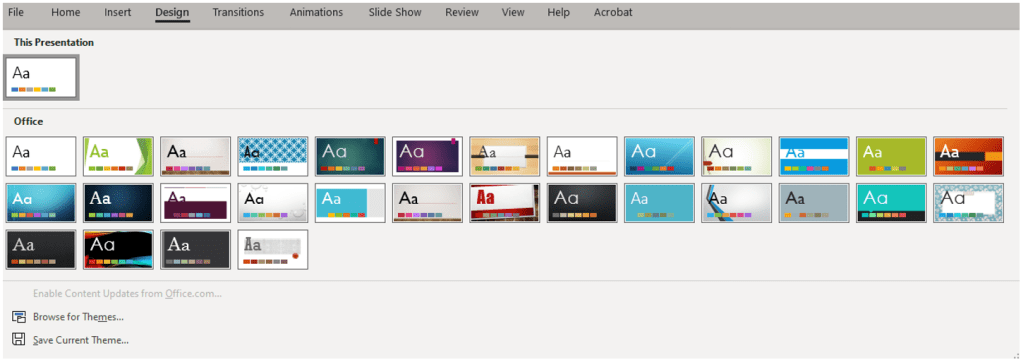
This week is all about Themes and Templates as found in PowerPoint. You’ve seen these. You may be asking yourself what they are while not realizing you have likely used themes and templates. You’ve opened a new file, and there were all these pretty presentations splayed across your screen. But what is a theme, and…
-
Section breaks in PowerPoint
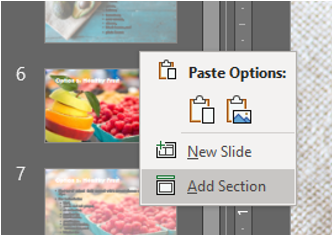
Say you’re working on a document with a ton of slides to the point where it’s becoming difficult to find the one you need to work on by scrolling through. Or maybe you’re collaborating on a slide deck and you only need certain people to work on specific slides. If only you could turn them…
 Ryn Nicol