
Category: Word
-
Building a Table of Figures

Once you add captions to your document, you may create a table of figures. When you build a table of figures, Word automatically searches for the preset Caption style (unless told otherwise) and lists them by sequential appearance in the document meaning the listing is based on page number not if the caption numbers are…
-
Caption This
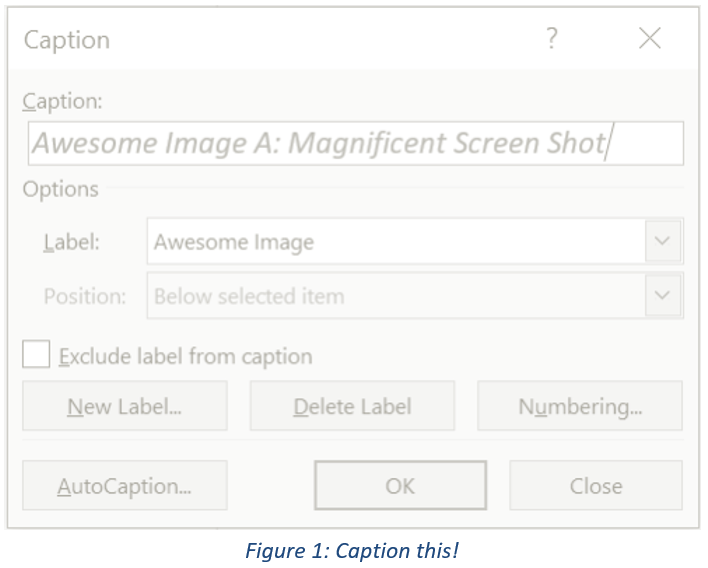
When drafting long documents with lots of illustrations, images, tables, etc., it is wise to use a table of figures (TOF). Listing pictorial information in it’s own table is important because it allows readers to focus on your graphics apart from the text. Unlike the table of contents (TOC) which is based on heading styles,…
-
Change Level of List Item

Lists, like the Table of Contents, are based on hierarchical outline levels in a tree structure. There are two ways to change levels in a list. One way is to press the Tab key at the beginning of the line until you’ve reached the level down (toward the right) you want or Shift+Tab to move…
-
List Libraries and Defining a New List

You’re making a list and for whatever reason you don’t like the default appearance. I’m not talking fonts and colors rather the bullet or the numbering. If you need suggestions or want to set a specific list style, go to the Home ribbon in the Paragraph group, access either the Bullet or Numbering Library and…
-
Stop Automatic Numbering

You likely already know how easy it is to add bullets or numbers to existing lines of text. Word can automatically create lists as you type. By default, if you start a paragraph with an asterisk, the number “1,” or the letter “a” followed by a period and either a tab or space, Word recognizes…
-
Bad Code or How to Make Everyone’s Life Including Your Own More Difficult
Have you ever seen a document where people hit the return button repeatedly at the end of a page to move it to the next line? Or pressed the tab button over and over then the spacebar to get their text to line up with a specific item? You know, like this: This type of…
-
Quick case change

Ever have a sentence or phrase that you need in all caps? Or maybe it’s a title and you need each word capitalized? Rather than retype, select the section you want to change. On the Home ribbon in the Font group, click the drop-down menu for the Change Case menu. Depending on the option, this…
-
Whatever Happened to Reveal Codes? Or How Does Show/Hide Work?
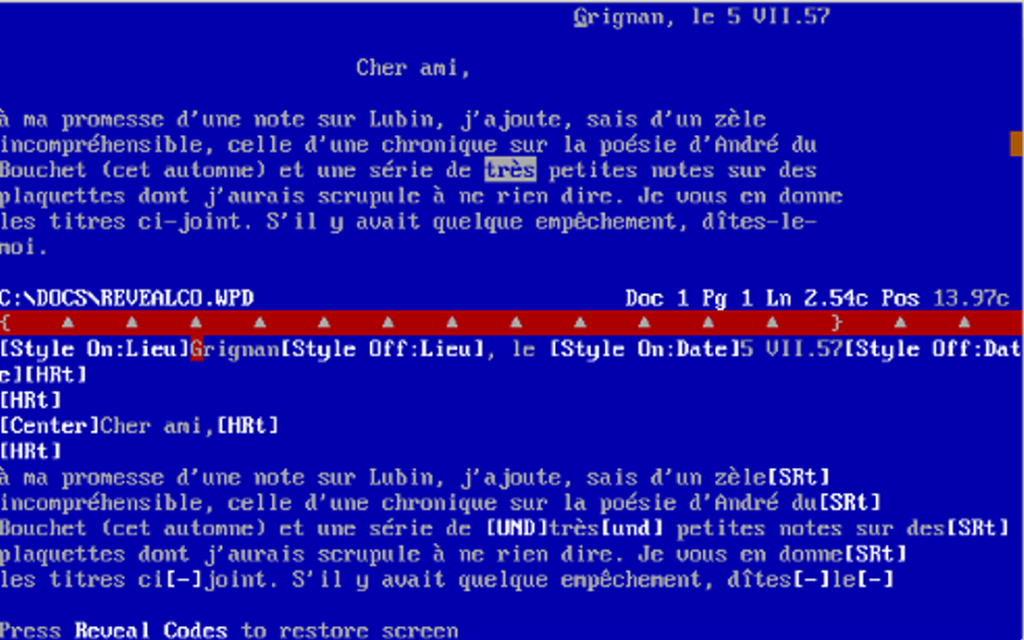
First a bit of history and no, you’re not about to get a lesson in programing languages—well you sort of are. Ok for clarity you are not about to see a bunch of jibberish that only people who live in their mother’s basement understand. Show/Hide and Reveal Codes are tools to help provide you visuals…
-
Ruler
Did you know there’s a ruler in Word? It’s a simple tool that aids in formatting your document from assisting in the alignment of text, tabs, tables, graphics, and even margins. If the ruler doesn’t automatically appear when you open a document, go to the View ribbon. From the middle of the ribbon, you’ll see…
-
Removing that annoying paste box

Ever copied and pasted something in your document only to have text you need to review covered by an annoying paste box? Like, I just pasted that. Why are you prompting me again? How do I get rid of you? I can’t read what’s under you. To remove this box, press the Esc key. Yes,…
 Ryn Nicol