
Category: Basics
-
Page Breaks as Formatting Options
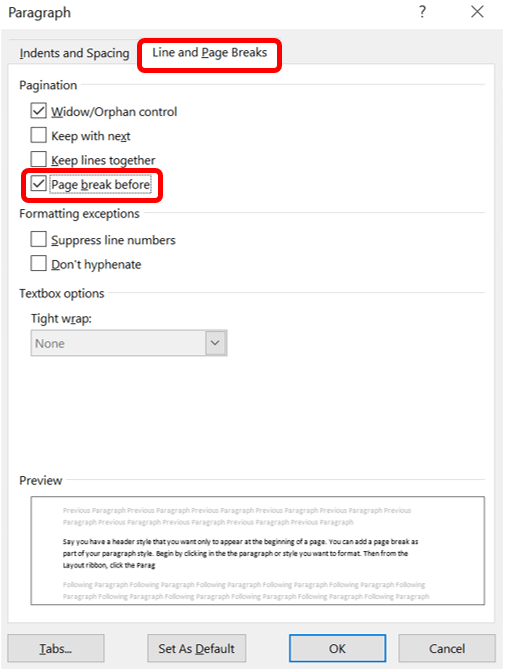
Say you have a header style that you want only to appear at the beginning of a page. You can add a page break as part of your paragraph style. Begin by clicking in the paragraph or style you want to format. Then, from the Layout ribbon, click the Paragraph dialog box launcher. Then, choose…
-
Using Section Breaks with Headers and Footers

By default, your document footers will have the same content including pages with section breaks. This works for most people, but one reason to have section breaks is to change the look of the footer for say different chapters or document parts (e.g., a letter has one footer different from attachments, but they’re all in…
-
Page Breaks in Word

Word provides many break options with the most frequently used being the Page Break. If you’ve never used a page or the other type of break options, this post will provide information on each. First, to find the break options available go to the Layout ribbon, select Breaks from the Page Setup group. A dropdown…
-
Lines vs. Borders
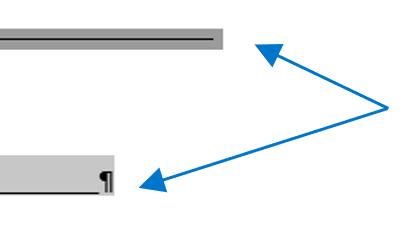
I received the following form a friend the other day. A simple enough form. The lines aren’t even vertically nor horizontally but all we need to do is add our information. The lines are fixable. Until you type in the form that is. Yes, looks… terrible. Awful. I’m sure it’s acceptable but… it could look…
-
PDF It

Ever go to save your Word document as a PDF and Word doesn’t like you that day because it keeps removing your links? Or you printed your document to PDF, and again all your links are gone? Let’s understand what the difference is between the two actions – no let’s back up further: there’s a…
-
Building a Table of Figures

Once you add captions to your document, you may create a table of figures. When you build a table of figures, Word automatically searches for the preset Caption style (unless told otherwise) and lists them by sequential appearance in the document meaning the listing is based on page number not if the caption numbers are…
-
Caption This
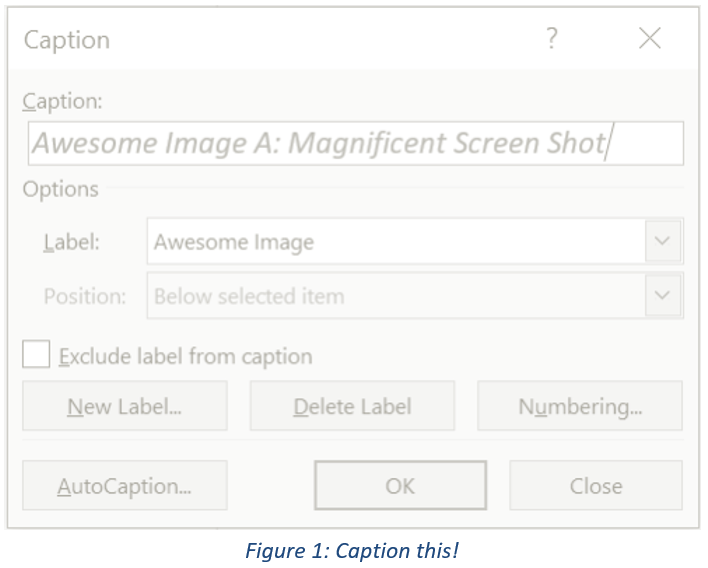
When drafting long documents with lots of illustrations, images, tables, etc., it is wise to use a table of figures (TOF). Listing pictorial information in it’s own table is important because it allows readers to focus on your graphics apart from the text. Unlike the table of contents (TOC) which is based on heading styles,…
-
Change Level of List Item

Lists, like the Table of Contents, are based on hierarchical outline levels in a tree structure. There are two ways to change levels in a list. One way is to press the Tab key at the beginning of the line until you’ve reached the level down (toward the right) you want or Shift+Tab to move…
-
List Libraries and Defining a New List

You’re making a list and for whatever reason you don’t like the default appearance. I’m not talking fonts and colors rather the bullet or the numbering. If you need suggestions or want to set a specific list style, go to the Home ribbon in the Paragraph group, access either the Bullet or Numbering Library and…
-
Stop Automatic Numbering

You likely already know how easy it is to add bullets or numbers to existing lines of text. Word can automatically create lists as you type. By default, if you start a paragraph with an asterisk, the number “1,” or the letter “a” followed by a period and either a tab or space, Word recognizes…
 Ryn Nicol