
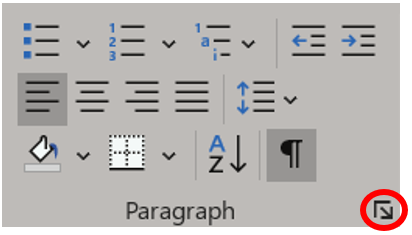
Say you have a header style that you want only to appear at the beginning of a page. You can add a page break as part of your paragraph style. Begin by clicking in the paragraph or style you want to format. Then, from the Layout ribbon, click the Paragraph dialog box launcher.

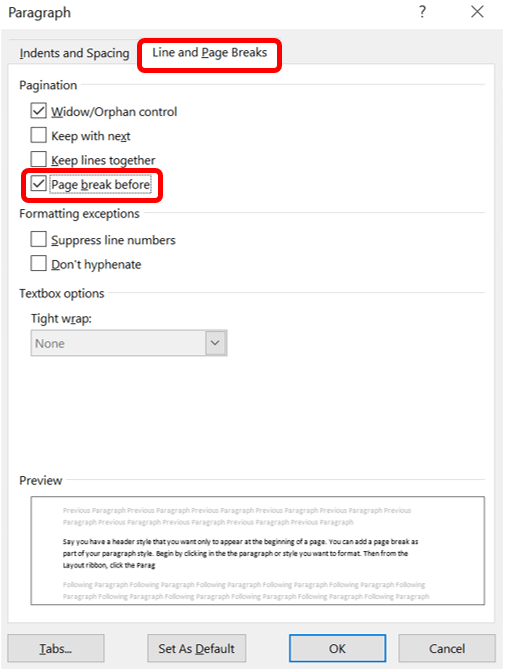
Then, choose the Line and Page Breaks tab at the top, and check the box Page break before. Click OK.
You can also reach this window from the Home ribbon by opening the dialog box, the Paragraph group launcher.
 Ryn Nicol