

You may need to change the number of an item in a numbered list. If so, use the Set Numbering Value option to manually change the list number, and Word will automatically renumber the rest of your list.
Right-click the number in the list that you want to change. Click Set Numbering Value.
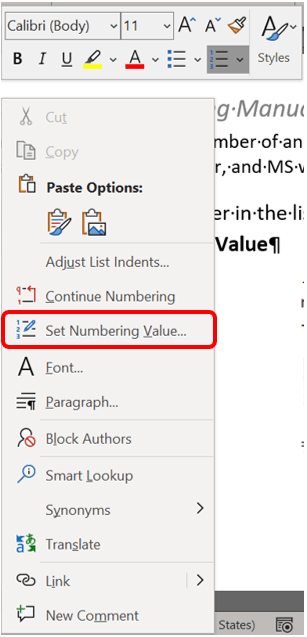
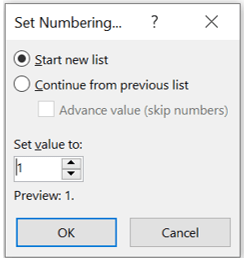
The Set Numbering Value dialog box will display, giving you two options.
- Click Start new list and change the value of the selected number in the Set value to box.
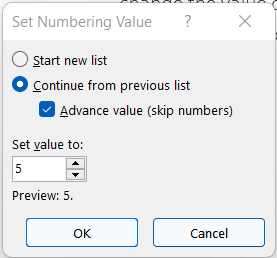
- Click Continue from previous list, select the Advance value (skip numbers) checkbox, and change the value of the selected number in the Set value to box that corresponds to the level of the number that you selected. Click OK.
 Ryn Nicol