

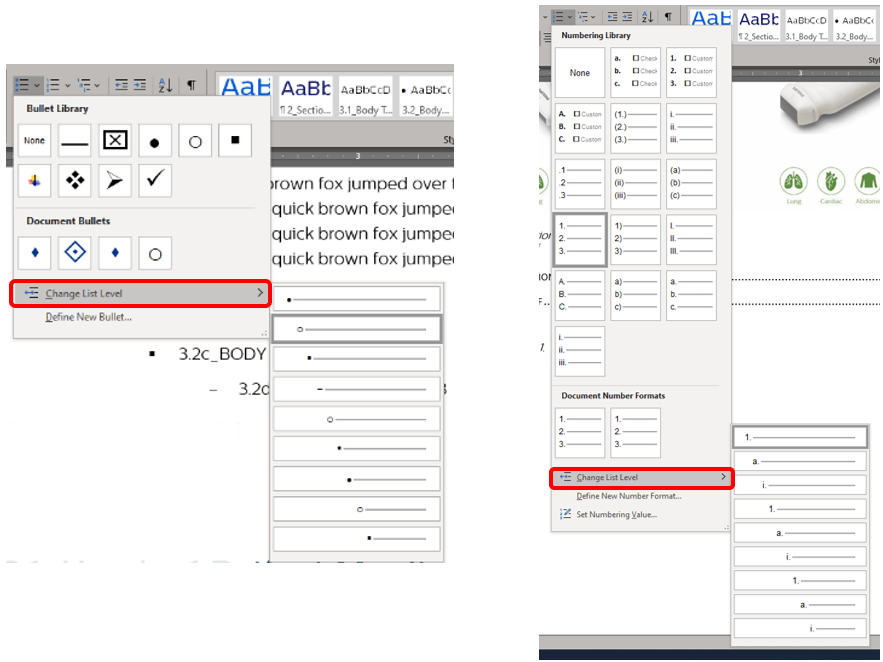
Lists, like the Table of Contents, are based on hierarchical outline levels in a tree structure. There are two ways to change levels in a list. One way is to press the Tab key at the beginning of the line until you’ve reached the level down (toward the right) you want or Shift+Tab to move up (toward the left). You may also select (or leave your cursor by clicking) the text you want to move to a different level and go to the Home ribbon. In the Paragraph group, click the arrow next to Bullets or the one next to Numbering to open the library. Click Change List Level near the bottom. Then select the desired level from the drop-down menu.
 Ryn Nicol