

You likely already know how easy it is to add bullets or numbers to existing lines of text. Word can automatically create lists as you type. By default, if you start a paragraph with an asterisk, the number “1,” or the letter “a” followed by a period and either a tab or space, Word recognizes that you are trying to start a bulleted or numbered list. If you don’t want your text turned into a list, or if you want change another AutoFormat Option, or if you broke Word and lists aren’t being auto created, you may click the AutoCorrect Options button that appears immediately after you start your list.

Clicking the box will give you a drop-down with the following options.
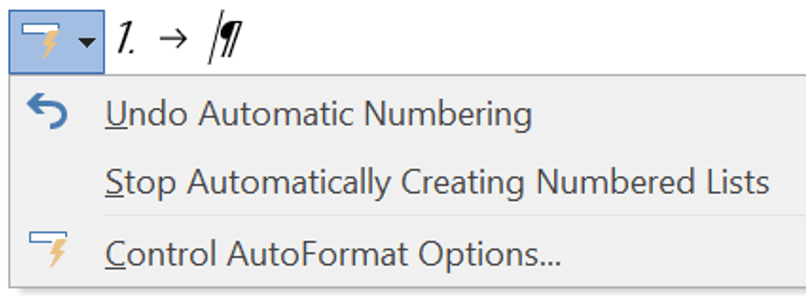
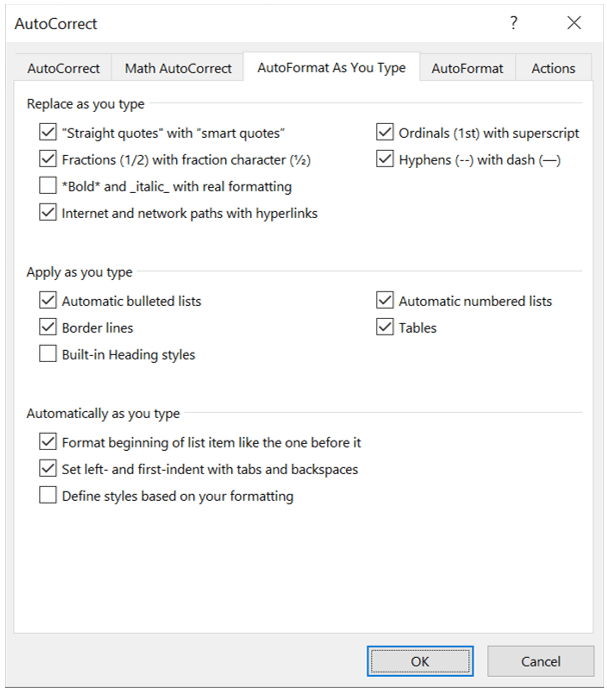
If you click the last option, the AutoCorrect popup will appear, opening on the AutoFormat As You Type tab. Click on or off the desired options, then click OK or Cancel to get out.
 Ryn Nicol