

You made a table of contents (TOC), but then you altered your document and all your page numbers are off. If you added, removed, modified headings, or edited any of your table of contents entries in your document, you can quickly update the table of contents. Go to the References ribbon in the Table of Contents group, click Update Table.
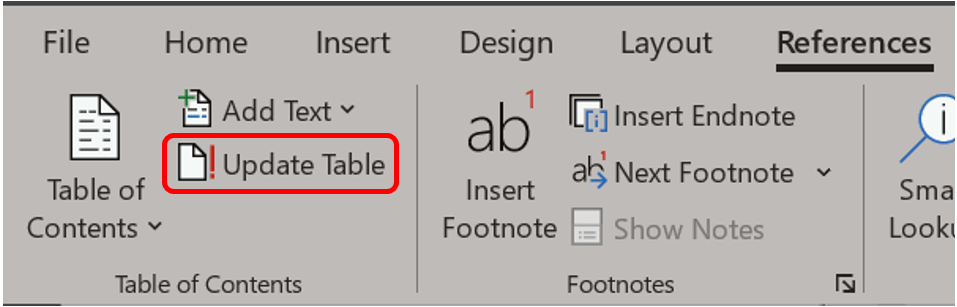
Select Update page numbers only or Update entire table based on what changes you made.

If you already have a TOC in your document, you may right-click anywhere on the table to access the mouse menu and chose Update Field to perform this same action.

 Ryn Nicol