
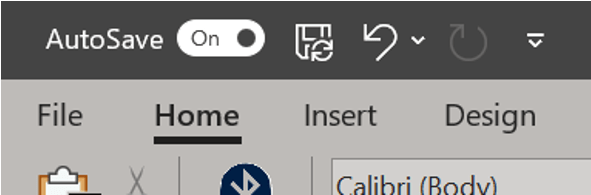
Sometimes our file is big and saving often means waiting a lot and often. Sometimes, we forget about saving and think we’ve lost all our work but AutoSave rescued us. By default, Word automatically saves your document at set intervals as part of the AutoSave feature. Not sure if you have AutoSave on? Look to the top left corner where a toggle button labeled AutoSave appears.
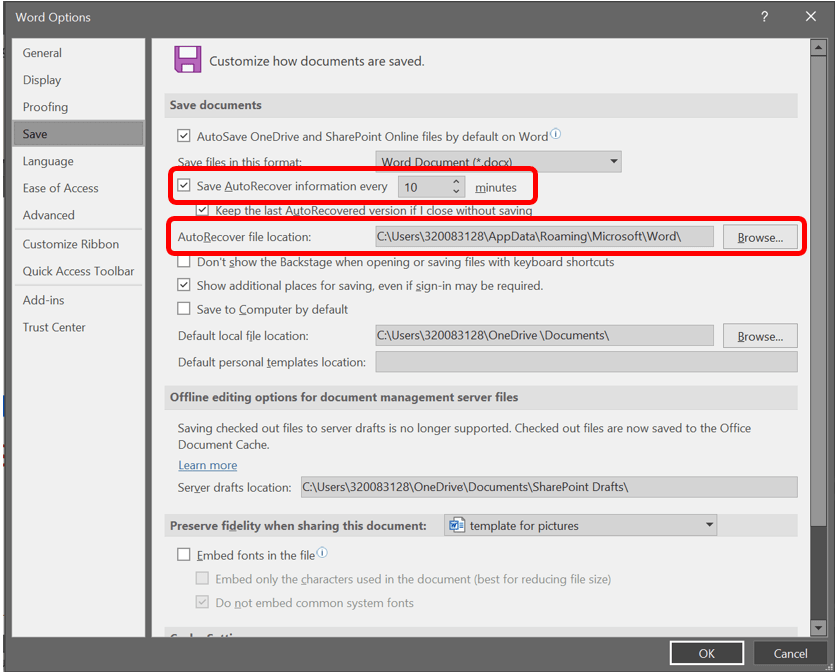
If you need to change the frequency of AutoSave go to the File tab and click Options on the left (you may need to scroll down to see it). The Word Options menu will appear. Click on Save which appears to the left of this menu. Under the first section titled Save documents, the second checkbox, for Save AutoRecover information every allows you to change the frequency. From here you can also change the location of where the Word places the AutoRecover file. Only do this is if you’re an advanced user.
 Ryn Nicol