

So you read about hidden text and now you’re feeling all advanced and power and thinking, but could that work with pictures? Yes.
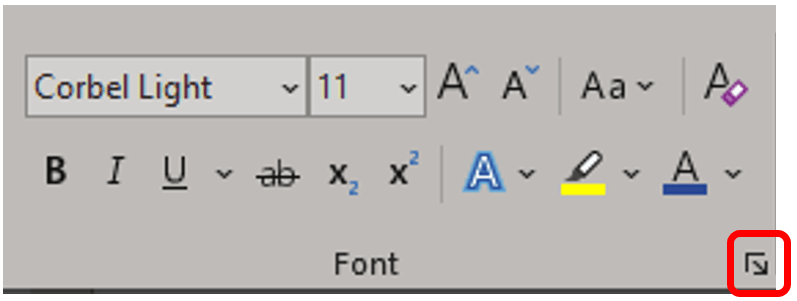
If you want to hide an image, insert the image first. The image must have In line with text wrapping applied to it. This will not work with other wrapping options. Now select the image to be hidden. On the Home ribbon under the Font group launch the Font dialog box.
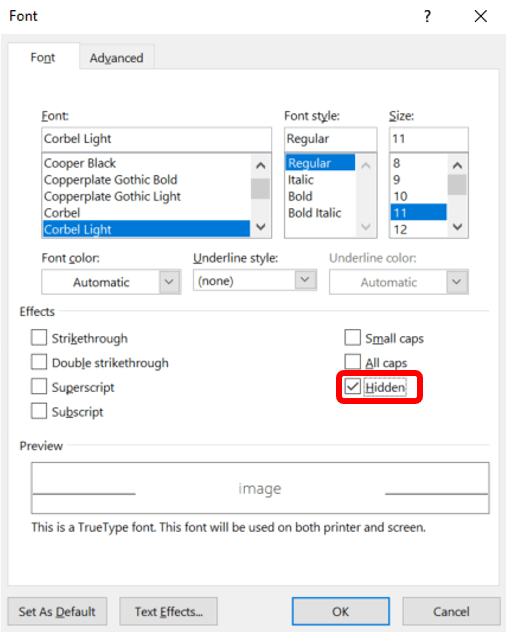
From this dialog box, check the box next to Hidden, and click OK.
 Ryn Nicol