

As you read through this guide, you may notice that my images may be a little different from your screen. All of my ribbons are gray. That’s because when I’m working, I like darkness and a screen that doesn’t blind me. Think of me as one of those movie monsters who can’t handle the sun or an overly bright monitor in this instance. Rather than have a blinding white screen glare at me, I use dark mode (Microsoft calls it Dark Gray) which makes everything gray and frankly easier on the eyes at least for me. My screenshots are from Word but this will also work PowerPoint, Excel, and Outlook. In fact if you have Office 365 making this change in one program will cascade to the others.
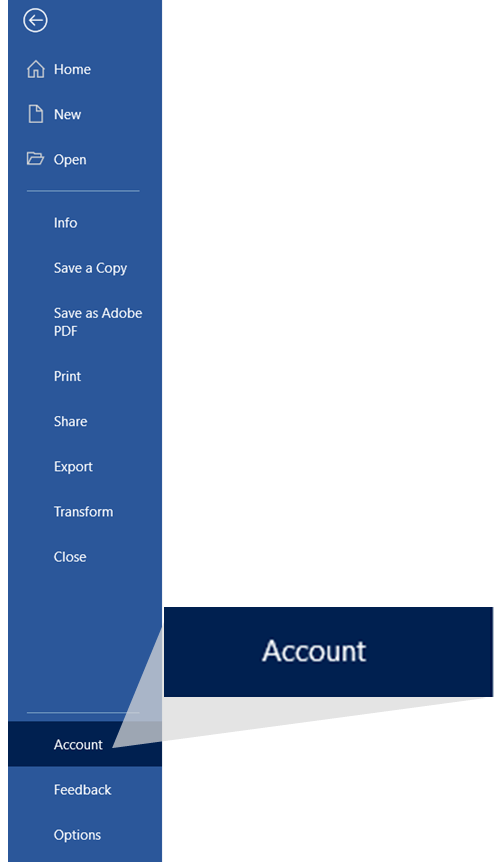
To activate Dark Gray, click on the File tab then scroll down and click on Account on the left sidebar near the bottom.
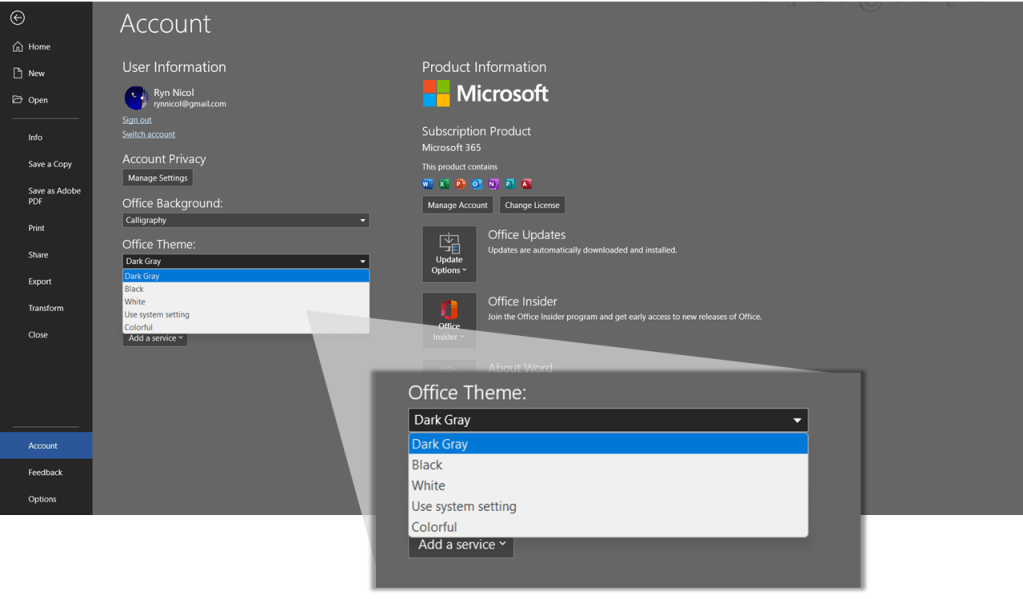
Now click the dropdown menu under Office Theme and choose one of the options to alter the look of your Word program. I have chosen Dark Gray.
Welcome to the dark side.
 Ryn Nicol